
Welcome to Relaxifi
Studio-grade spoken audio, in six simple steps.
Record voice. Mix music. Share privately. Sound effortless.
Bring warmth and clarity to your voice, lay calm music underneath, and send a private link anyone can tap to play.
No card needed. Works on computer, tablet and phone.
What it is
Made for the person doing the talking
Relaxifi is for anyone who wants to concentrate on what they have to say and the person listening — not on audio software. You speak; the studio takes care of the tone, the music, the balance and the delivery.
There are excellent programs for detailed audio editing. Relaxifi is the calm, simple option for when you want a finished, polished recording without the files, the effects menus and the complex audio timelines.
Focus on your words
One take at a time. Pause, rewind and retake whenever you need — every join stays seamless.
Sound your best
Ten voice styles shaped for speech — find your sound in one tap.
Music that knows its place
Wrap around voice spreads the music to the sides, so your voice sits clearly in the middle.
Delivered without fuss
A private link that plays on any device. No files to send, nothing to unzip.
Who it's for
For anyone whose voice does the work
People use Relaxifi for all kinds of spoken audio. A few examples:
Hypnotherapy and therapy
Personal sessions for clients to play at home, between appointments.
Meditation, breathwork and yoga
Guided practice over calm sound that sits gently under your voice.
Coaching and wellbeing
Recaps, affirmations and reflections sent straight to WhatsApp or email.
Sleep and relaxation
Smooth, even recordings with no clicks or sudden jumps in volume.
Teaching and learning
Lessons, study guides and messages for students that are easy to replay.
Authors, poets and storytellers
Readings and narration with music, ready to share in minutes.
Faith, community and pastoral care
Reflections, prayers and messages of support for people who can't be there in person.
Anyone with something to say
If your focus is the message and the listener, Relaxifi looks after the sound.
How it works
A tour of the studio
Six steps, each one simple on the surface — with a good deal of care going on underneath.
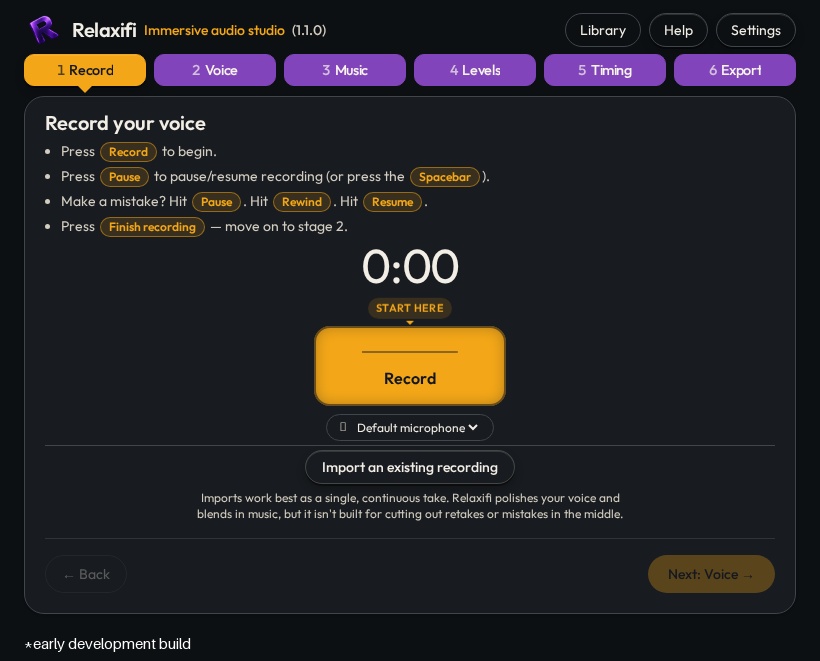
- 1Record
A take you can trust
Speak naturally. Pause whenever you need, take a breath, and carry on when you're ready.
- Your voice is captured sample by sample on its own dedicated channel, so pausing and resuming never drops a word.
- Hear your last five seconds (pre-roll) before you resume, or rewind and say it again — the join stays seamless.
- Switch tabs or unplug a microphone and Relaxifi pauses for you, then counts you back in gently.
- If the window closes by accident, your latest take is waiting when you return.
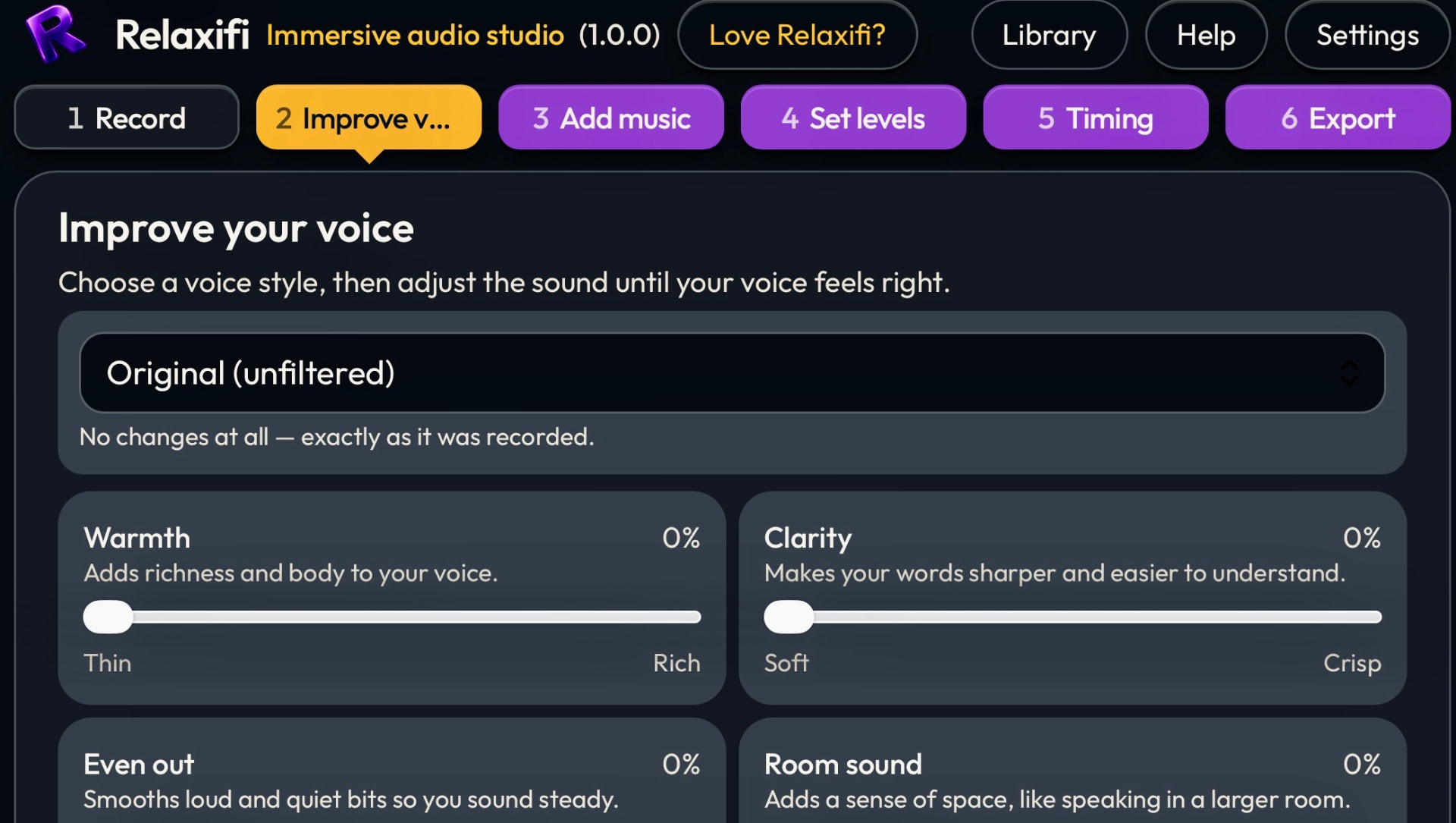
- 2Voice
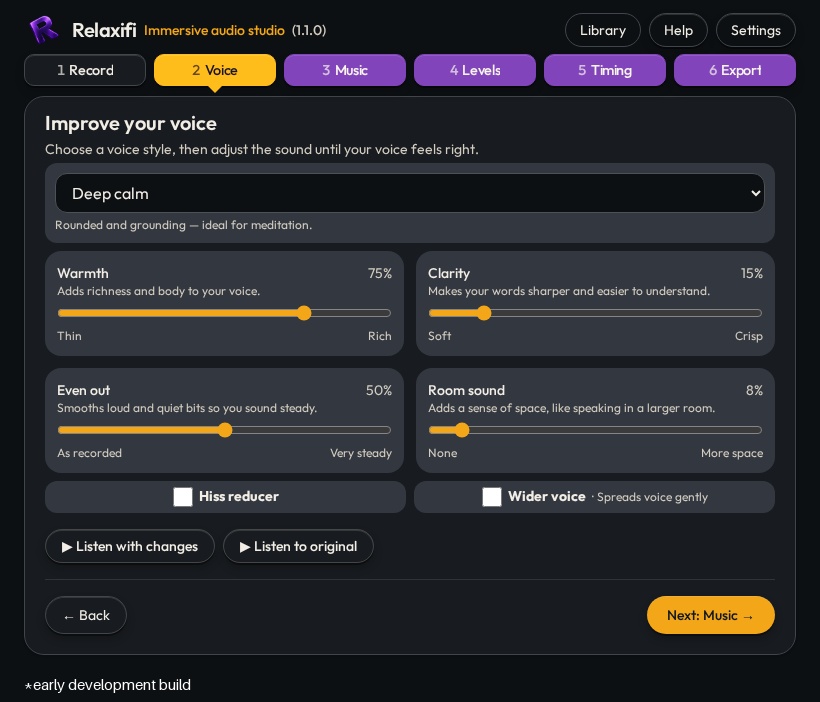
Your voice, at its best
Choose a voice style and hear the difference straight away.
- Ten styles shaped around speech — from warm and intimate to clear and bright.
- Optional fine-tuning for warmth, clarity, evenness and room sound, in plain words rather than technical terms.
- Handy finishing touches such as a hiss reducer and a wider voice, each kept deliberately subtle.
- Importing a recording? Relaxifi trims stray noise at the start and end, with Undo always there.
- 3Music
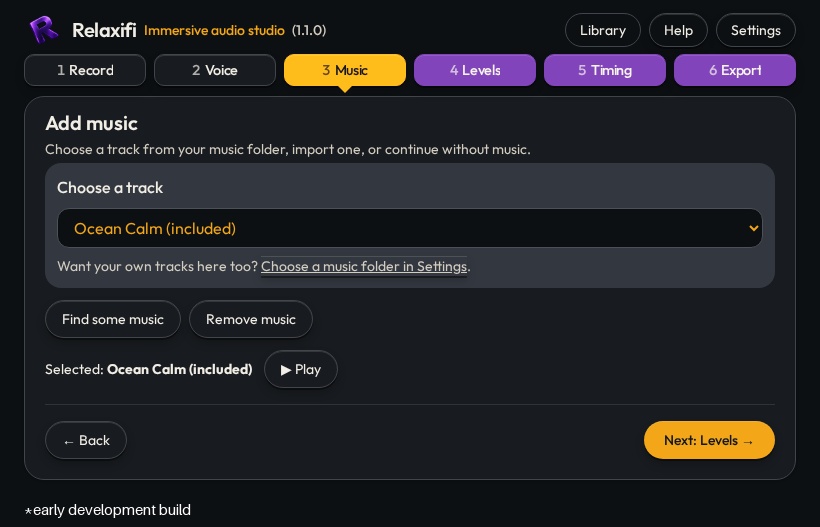
Music beneath your words
Pick built-in music or bring your own — for anything from meditation to podcasts.
- Built-in tracks are ready to use, chosen to sit well under speech, with more on the way.
- Use your own music — any MP3 or WAV file works.
- Music loops automatically and seamlessly, however long you speak.
- 4Levels
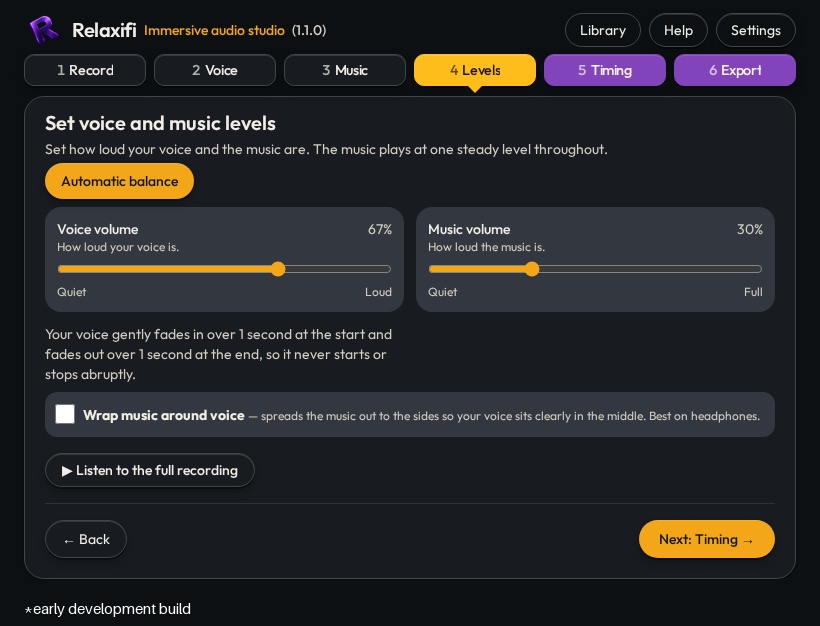
A balance that looks after itself
Set how loud the music sits, and let Relaxifi do the rest.
- Wrap around voice spreads the music out to the sides (Mid/Side processing) so your voice sits clearly in the middle. Sounds great with headphones!
- No volume lines to draw by hand, and no words lost beneath the music.
- The finished mix is kept clean, without harsh peaks or distortion.
- 5Timing
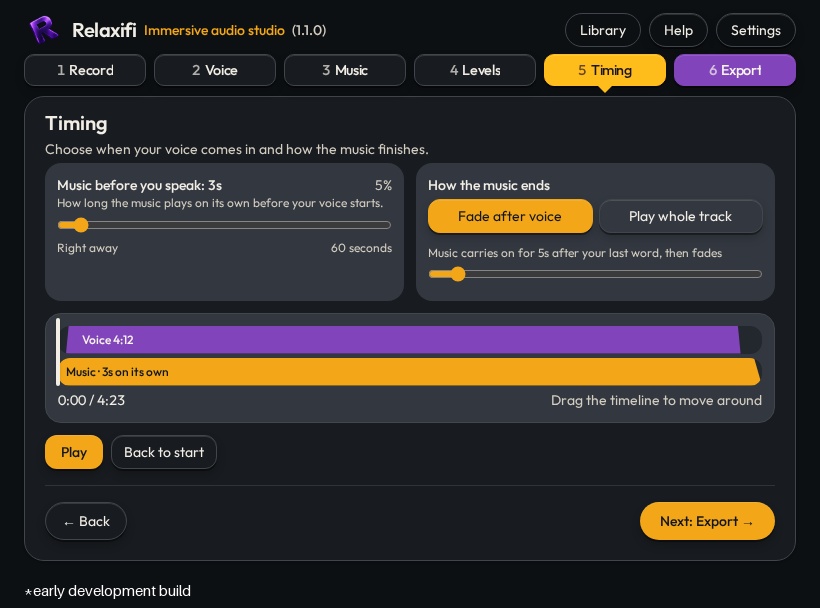
A gentle way in, a soft way out
Give your listener a moment to settle before you begin.
- Let the music play on its own for a few seconds before your first word.
- A slow fade at the close, so nobody is jolted out of a calm moment.
- See your voice and the music side by side, with each fade drawn as a gentle slope.
- 6Export
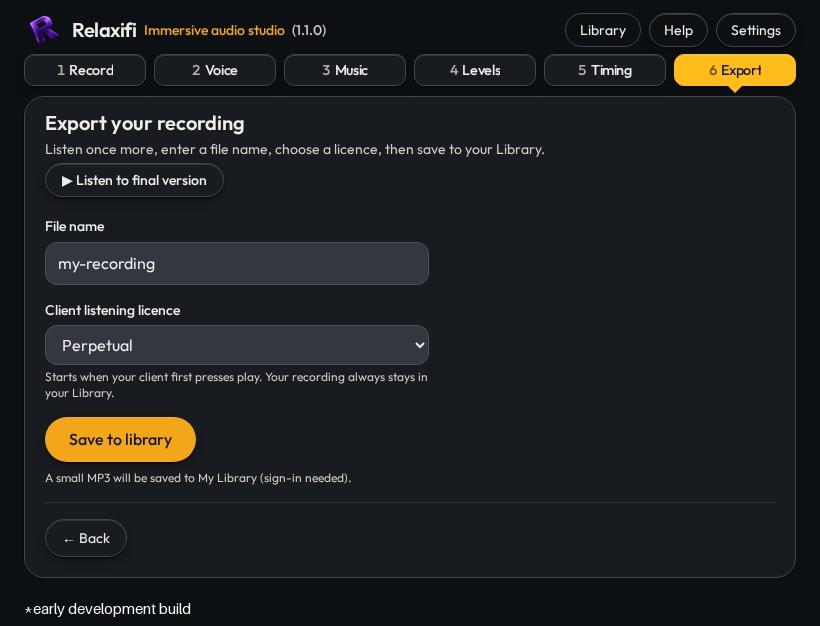
From your studio to their ears
Save to your Library and share a private link in seconds.
- Send by WhatsApp or your favourite messenger app. Your listener taps play on a clean page with no ads, no account and no fuss.
- Each link shows you how often it was played and on how many devices.
- Every recording is kept in your own Library, ready to share again or download as an MP3 to take anywhere.
- Optional play licences let you choose how long a client can listen to each link.
Everything included — except complicated software
All you need to record, polish and share, in one simple studio.
Recording that never drops a word
Pause, rewind and retake as often as you like. Every take joins cleanly, with no gaps or clicks.
Warmth and clarity in one tap
Ten voice styles shaped for speech. Choose one and carry on — or fine-tune it if you like.
Background music included
A growing set of built-in music, with more on the way — or add your own. Relaxifi balances it under your voice.
Private listening links
Send a link by WhatsApp, email or your favourite messenger app. Your listener just taps play — no account, no fuss.
Know when it's been heard
See how many times each link was played, and on how many devices.
One app, every screen
Works on anything with a modern operating system — computer, tablet or phone. Add it to your home screen in a tap.
What your client sees
You send a link. They get a page with a play button. No account, no app to install, nothing to learn.
Here’s your session for tonight.

app.relaxifi.co.uk
Your session
Tap play — nothing to install.
Perfect, thank you.
What you send — WhatsApp, text or email.
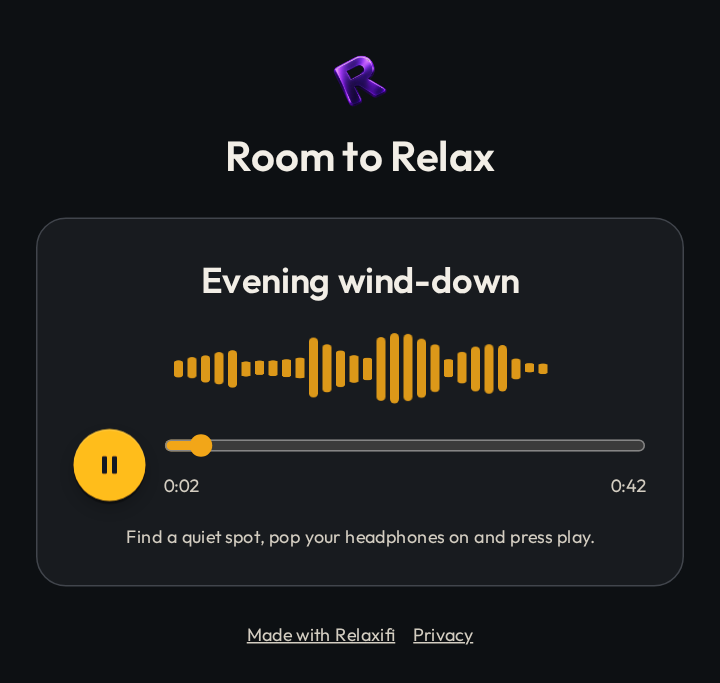
What the link opens — on any phone or computer.
Questions people ask
Straight answers, nothing hidden.
Something we haven’t covered? Email us and we’ll answer plainly.
Is it really free?
Yes. Recording, polishing, mixing and sharing cost nothing — no card, no trial clock, no ads, no locked studio. If you find it useful and want to help keep it running, you can choose to support us — entirely up to you.
Do I need to install anything?
No. Relaxifi is a cloud-synced audio app that opens straight away on a computer, tablet or phone. If you like it, add it to your home screen or desktop and it opens like any other app.
Do my listeners need an app or an account?
No. They tap the link you send and press play. Nothing to install, nothing to sign up for.
Can I tell whether anyone listened?
Yes. Each link shows how many times it was played and on how many devices.
Can I use my own music?
Yes. Add any MP3 or WAV file of your own — there are even a few tracks built in. Relaxifi keeps the music sitting nicely under your voice.
What if I stop halfway through a take?
Press space or the pause button and carry on whenever you're ready. If the window closes by accident, your latest take is kept on your device and comes back when you return.
Can I download the finished file?
Every recording saves to your Library with a private listening link, and your clients can always listen free. You can also download an MP3 of any recording from the player's menu in your Library, to keep or use anywhere you like.
What happens to my recordings?
They're yours. They stay private in your own Library until you choose to delete them. The privacy notice has the full details.
Is there a catch?
No. Everyone gets the full studio. We are a small UK company, so there are fair everyday limits on Library space and daily saves to keep it running for everyone. The studio explains them plainly when you need to know.
Is it a replacement for professional editing software?
No, and it doesn't try to be. If you need many tracks and detailed editing, dedicated tools do that well. Relaxifi is for when you want a polished voice-and-music recording without the editing — with no compromise on quality.
Free to use
Everyone gets the full studio. Supporting us is optional — and always will be.
Open the studio